Complete Guide to 9 Essential AI Chatbots in 2026 – From ChatGPT to DeepSeek
From ChatGPT to DeepSeek
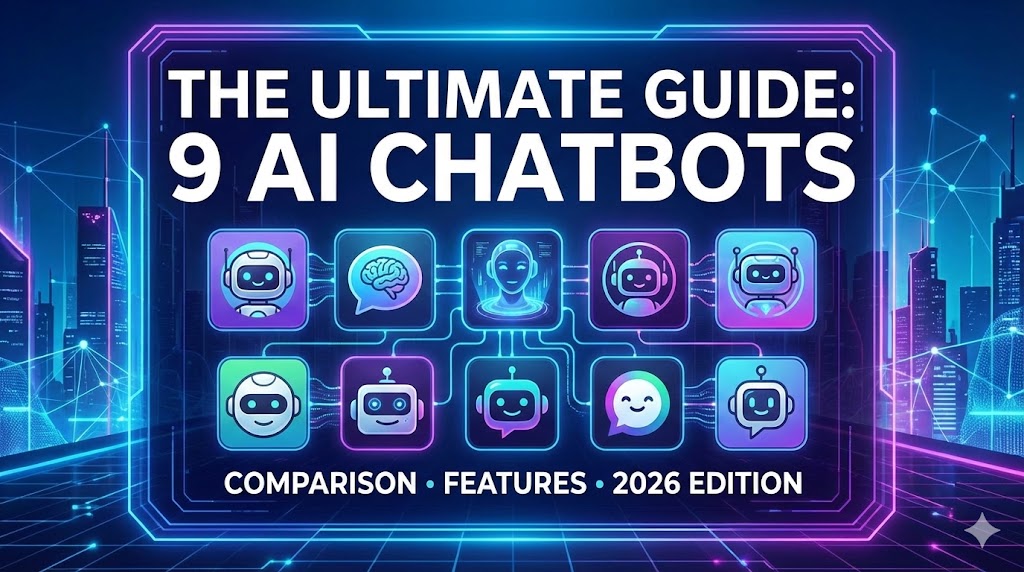
The rapid advancement of artificial intelligence has deeply integrated AI chatbots into our daily lives and work. As of 2025, a diverse range of AI services have emerged, each demonstrating exceptional performance in their specialized domains. This comprehensive guide provides an in-depth analysis of the 9 most prominent AI chatbots globally, helping you select the optimal AI solution for your specific needs.
Whether you’re engaged in writing, coding, research, translation, or data analysis, this guide will help you find the perfect AI partner for your work.
- AI Chatbot Selection Guide – Comparison Table
- 1. ChatGPT – The Universal AI Champion
- 2. Gemini – Google’s Next-Gen AI
- 3. Claude – Safe and Ethical AI
- 4. Perplexity – Revolutionary AI Search Engine
- 5. Genspark – Personalized Information Integration Platform
- 6. Carat – Your Personalized AI Assistant
- 7. DeepSeek – High-Performance Open Source AI
- 8. LINER – Document Summarization Specialist
- 9. Grok – Real-Time Social Media AI
- Recommended AI Combinations by Use Case
- Frequently Asked Questions (FAQ)
AI Chatbot Selection Guide – Comparison Table
Compare the key features of each AI chatbot at a glance. Quickly find the AI that matches your needs.
| AI Name | Developer | Pricing | Key Strength | Best For |
|---|---|---|---|---|
| ChatGPT | OpenAI | Free/$20 | Versatility, Creative Writing | All Users |
| Gemini | Free/$20 | Real-time Search | Google Ecosystem Users | |
| Claude | Anthropic | Free/$20 | Long Document Analysis | Researchers, Professionals |
| Perplexity | Perplexity AI | Free/$20 | Source-Based Search | Research Workers |
| Genspark | Genspark | Free | Comprehensive Info Pages | Learners |
| Carat | Carat AI | Paid | Personalization, Automation | Productivity Enhancement |
| DeepSeek | DeepSeek AI | Free/Cheap | Coding, Mathematics | Developers, Researchers |
| LINER | LINER | Free/Paid | Document Summarization | Students, Professionals |
| Grok | xAI | $8 | Real-time Trends | X (Twitter) Users |
Creative Writing: ChatGPT or Claude
Latest Information Search: Perplexity, Gemini, Grok
Document Analysis: Claude, LINER
Coding/Development: DeepSeek, ChatGPT
Learning/Research: Genspark, Perplexity
1. ChatGPT – The Universal AI Champion
Most Popular Free/Paid

Developed by OpenAI, ChatGPT is the world’s most widely used conversational AI. Since its launch in November 2022, it reached 100 million users in just two months, leading the AI revolution. ChatGPT Plus, based on the GPT-4 model, boasts powerful language understanding and generation capabilities, handling almost any task from writing and coding to translation and analysis.
Since 2024, it has evolved into a truly multimodal AI with the addition of image generation (DALL-E 3 integration), voice conversation features, and web search capabilities. The GPT-4o model can process text, images, and voice simultaneously, enabling more natural conversations.
Key Features
Pricing
- Free (GPT-3.5): Basic conversation features, limited performance, wait times during peak hours
- Plus ($20/month): GPT-4 access, image generation, web search, plugins, priority response
- Team ($25/month/user): Team collaboration features, admin console
- Enterprise (Custom pricing): Unlimited GPT-4, dedicated support, enhanced security
Real-World Use Cases
- Content Creation: Blog posts, marketing copy, email writing
- Education: Concept explanations, problem solving, study guides
- Programming: Code writing, debugging, refactoring
- Translation: Multilingual translation and cultural context understanding
- Business: Report writing, data analysis, idea brainstorming
Pros
- Versatility for almost any task
- Excellent creative writing capabilities
- Continuous updates with new features
- Rich plugin ecosystem
- Intuitive and easy-to-use UI
- Strong coding support
- Image generation and analysis capabilities
Cons
- Free version (GPT-3.5) has limited performance
- Latest information requires search mode
- Slowdowns during peak hours
- Occasional hallucinations (false information)
- Paid subscription cost
ChatGPT can be utilized in nearly every field including creative writing, coding support, learning assistance, translation, and brainstorming. It’s especially recommended as the starting point for those new to AI.
2. Gemini – Google’s Next-Gen AI
Free Available Free/Paid

Developed by Google, Gemini is an AI perfectly integrated with Google’s vast search database. After rebranding from Bard to Gemini in 2024, its performance improved significantly. The current Gemini 1.5 Pro model supports a context window of up to 2 million tokens, allowing it to process extremely long documents at once.
Gemini’s greatest strength is its integration with real-time Google Search. When you ask a question, it automatically searches for the latest web information and incorporates it into the response, making it exceptional for obtaining real-time information like news, stock prices, weather, and sports results. It can also integrate with Gmail, Google Drive, Google Docs, and other Google services to provide personalized assistance.
Key Features
Pricing
- Free: Gemini 1.5 Flash model, basic features, Google Search integration
- Gemini Advanced ($19.99/month): Gemini 1.5 Pro, 2M tokens, priority support, includes 2TB Google One storage
Real-World Use Cases
- Latest News Summary: Real-time news search and comprehensive analysis
- Travel Planning: Latest travel info, flight prices, weather checks
- Stock/Finance: Real-time stock prices, financial statement analysis
- Academic Research: Latest paper search and summarization
- Email Management: Integrate with Gmail to write and organize emails
Pros
- Best real-time information access
- Powerful free version
- Perfect integration with Google ecosystem
- Can process very long documents
- Fast response speed
- Wide language support
Cons
- Creative writing slightly behind ChatGPT
- Occasional errors in complex logical reasoning
- Performance lower in non-English languages
- Privacy concerns (Google account integration)
Gemini is optimized for latest information search, real-time data analysis, and research work. It’s especially useful for those who frequently use Google services, and highly recommended for students and researchers.
3. Claude – Safe and Ethical AI
Free/Paid Honest Responses

Developed by Anthropic, Claude is an AI that prioritizes safety and reliability. Founded by former OpenAI researchers, Anthropic focuses on generating ethical and accurate responses through “Constitutional AI” technology. The Claude 3.5 Sonnet model shows similar or superior performance to GPT-4 in some areas, particularly excelling in long document processing and coding capabilities.
Claude’s unique feature is its support for a context window of up to 200,000 tokens. This means it can read and analyze approximately 150,000 words—equivalent to a 300-page book—at once. This is extremely useful for professionals dealing with long documents like legal contracts, academic papers, and corporate reports.
Key Features
Pricing
- Free: Claude 3.5 Sonnet model, limited messages
- Pro ($20/month): 5x more messages, priority access, early feature access
- Team ($25/month/user): Team collaboration, more messages
Real-World Use Cases
- Legal Document Analysis: Review and summarize contracts, case law
- Academic Paper Review: Analyze long papers and extract key points
- Corporate Reports: Analyze financial statements, annual reports
- Code Review: Find bugs, improve code quality
- Book Summaries: Read entire books and generate chapter summaries
Pros
- Exceptional long document processing
- Accurate and reliable responses
- Excellent coding and debugging abilities
- Ethical and safe AI
- Logical and systematic thinking
- Clear refusal of inappropriate requests
Cons
- No image generation features
- Limited real-time internet search
- Free version message limits
- Lacks plugin ecosystem
- Sometimes overly cautious
Claude is optimized for long document analysis, professional work in legal/medical/academic fields, and code review and debugging. Highly recommended for professionals where accuracy and reliability are critical.
4. Perplexity – Revolutionary AI Search Engine
Free Available Source Citations

Perplexity is not a traditional AI chatbot but an AI-powered search engine. When you ask a question, it searches multiple websites in real-time to provide comprehensive answers, displaying accurate sources for all information. This combines the advantages of searching multiple sites like Google without clicking each one, while getting conversational answers like ChatGPT.
Perplexity’s biggest differentiator is reliability. Every sentence generated by the AI displays source links (in [1], [2] format), allowing users to verify the information directly. This is extremely useful in fields where accurate information is crucial, such as research, learning, and journalism.
Key Features
Pricing
- Free: Basic search, standard model, 5 Copilot queries/day
- Pro ($20/month): Choose GPT-4 or Claude 3, unlimited Copilot, file upload, API access
Focus Mode Options
- All: Search all websites
- Academic: Focus on academic papers and journals
- Writing: Optimized answers for writing
- Wolfram: Solve math problems with Wolfram Alpha
- YouTube: Search and summarize YouTube videos
- Reddit: Gather Reddit community opinions
Pros
- High reliability with source citations
- Provides real-time latest information
- Concise and organized answers
- Specialized search options available
- Free version is quite useful
- Fast search speed
Cons
- Unsuitable for creative tasks
- Limited conversational interaction
- Weak at generating long documents
- Insufficient coding support
- Free version Copilot limitations
Perplexity is optimized for research, fact-checking, staying updated with latest news, searching academic papers, and product comparisons—any task requiring accurate and current information. Especially useful for students, researchers, and journalists.
5. Genspark – Personalized Information Integration Platform
Free Emerging Service
Genspark is a next-generation AI search engine characterized by generating customized “Sparkpages” for specific topics. Unlike regular search engines or AI chatbots, it automatically creates well-organized pages like Wikipedia by synthesizing information from multiple perspectives on a single question.
For example, searching for “2025 Electric Vehicle Market Trends” provides a comprehensive page with sections on market size, major players, technology trends, government policies, consumer opinions, etc. This is extremely useful when quickly learning about a new topic or starting in-depth research.
Key Features
Pricing
- Free: All basic features free (as of January 2025)
Usage Scenarios
- Market Research: Comprehensive info on specific industries or products
- Learning: Quickly understand new concepts or technologies
- Competitive Analysis: Compare companies, products, services
- Trend Tracking: Comprehensive summary of latest trends
- Decision Support: Collect multi-perspective information
Pros
- Comprehensive information from single search
- Systematically organizes complex topics
- Reduces bias by integrating multiple sources
- Visually well-organized layout
- Completely free
- Optimal for learning new topics
Cons
- Emerging service needs stability verification
- Limited non-English support
- Excessive info for simple questions
- No conversational interaction
- Slow real-time update speed
Genspark is optimized for in-depth research, learning new topics, market research, and competitive analysis—any task requiring comprehensive and systematic information. Especially useful when quickly understanding unfamiliar fields.
6. Carat – Your Personalized AI Assistant
Paid Personalization
Carat is a personalized AI assistant that learns your work patterns and preferences to provide customized support. Unlike general AI chatbots, it focuses on automating repetitive tasks and optimizing your workflow.
Carat’s core value is “personalization.” The more you use it, the more it learns your style, frequent tasks, and preferred expressions, providing increasingly accurate and useful assistance. This means receiving progressively more efficient support over time, like having a personal assistant.
Key Features
Pricing
- Starter: Refer to official website for pricing
- Pro: More automation and integration features
- Enterprise: Team collaboration and management features
Pros
- Gets smarter with use through learning
- Significantly boosts work efficiency
- Saves time with task automation
- Integrates various apps and services
- Provides personalized recommendations
Cons
- Initial setup somewhat complex
- Limited specialized features vs general AI
- Paid-only service
- Requires personal information sharing
- Needs learning period
Carat is suitable for professionals, freelancers, and entrepreneurs needing improved work productivity, task automation, and personalized work support. Especially useful for those with heavy email, scheduling, and document work.
7. DeepSeek – High-Performance Open Source AI
Free/Cheap Open Source
An open source-based large language model developed by China’s DeepSeek AI. The DeepSeek-V3 model released in late 2024 achieved GPT-4 level benchmark performance while being trained at much lower cost, shocking the industry. It’s particularly popular among developers and researchers for its exceptional coding and mathematical problem-solving abilities.
DeepSeek’s biggest advantage is being open source. Model weights are publicly available for anyone to download and run on their own servers or customize. This is extremely useful for companies where data security is critical or researchers wanting to use AI for special purposes.
Key Features
Pricing
- Free: Download and use open source model
- API (Very Cheap): Input $0.14/M tokens, Output $0.28/M tokens (90% cheaper than GPT-4)
Benchmark Performance
- HumanEval (Coding): 90.2% (GPT-4 Turbo: 90.2%)
- MATH (Mathematics): 90.8% (GPT-4 Turbo: 75.8%)
- MMLU (General Knowledge): 88.5% (GPT-4 Turbo: 86.4%)
- GSM8K (Arithmetic): 96.8% (GPT-4 Turbo: 94.2%)
Pros
- Free or very affordable cost
- Excellent coding and math abilities
- Open source allows customization
- Fast speed with efficient inference
- Data security (self-server deployment)
- Superior logical reasoning ability
Cons
- Limited non-English performance
- UI/UX inferior to commercial services
- Limited access to latest information
- No image generation features
- Difficult setup for beginners
DeepSeek is optimized for developers, researchers, and data scientists. Especially recommended for coding work, mathematical problem solving, algorithm design, and tech professionals who prefer open source.
8. LINER – Document Summarization Specialist
Free/Paid Multilingual
AI developed by Korean startup LINER, specialized in web page and PDF document summarization. Originally starting as a highlighting tool, it has now evolved into a comprehensive learning tool providing AI-based document summarization, question answering, and search features.
LINER’s greatest strength is its document processing capability. Upload papers, articles, or reports and it accurately summarizes the key content, automatically highlighting important parts on web pages. This is extremely useful for students and researchers who need to quickly read through many materials.
Key Features
Pricing
- Free: Limited daily summaries
- Pro ($9.99/month): Unlimited summaries, long document support, priority support
Usage Scenarios
- Reading Papers: Quickly grasp key content of academic papers
- News Summary: Quickly skim multiple articles
- Work Reports: Extract main points from long reports
- Study Materials: Summarize textbooks and lecture materials
- YouTube Lectures: Grasp key content of long lecture videos
Pros
- Excellent multilingual content processing
- Optimized for reading papers/articles
- Convenient use with browser extension
- Quick information grasp
- Useful free version
- Intuitive interface
Cons
- Limited general AI features
- Unsuitable for creative tasks
- Weak features beyond summarization
- Free version daily limits
- Lacks complex reasoning ability
LINER is optimized for students, researchers, and professionals who need to quickly read many materials. Especially recommended for those who frequently read papers, articles, and reports.
9. Grok – Real-Time Social Media AI
X Premium Required Humorous
AI developed by Elon Musk’s xAI, characterized by utilizing real-time data from X (formerly Twitter). Unlike other AIs, Grok pursues a sense of humor and honest answers, sometimes providing provocative and witty conversations.
Grok’s unique feature is perfect integration with the X platform. It can respond immediately to latest tweets, trending topics, and real-time issues, excelling at analyzing social media sentiment and reactions. It also has fewer constraints than other AIs, providing freer and more candid responses.
Key Features
Pricing
- X Premium ($8/month): Basic Grok access, limited messages
- X Premium+ ($16/month): More Grok messages, priority support
Usage Scenarios
- Trend Tracking: Real-time social media trend analysis
- Opinion Polling: X user reactions to specific topics
- News Summary: Summarize latest issues from X perspective
- Entertainment: Fun and humorous conversations
- Social Strategy: Social media marketing ideas
Pros
- Best real-time social media trend tracking
- Humorous and entertaining conversations
- Honest and direct responses
- Quick response to latest issues
- Freer expression than other AIs
- Image generation features
Cons
- Requires X Premium subscription
- Prioritizes fun over accuracy
- Unsuitable for professional work
- Limited non-English support
- Occasionally inappropriate responses
- Potential for biased information
Grok is suitable for tracking social media trends, monitoring real-time issues, casual conversations, and frequent X platform users. Recommended for users interested in entertainment and latest trends.
Recommended AI Combinations by Use Case
As of 2025, no single AI perfectly performs all tasks. Therefore, using 2-3 AIs in parallel according to your purpose is most efficient. Below are recommended AI combinations for each user type.
General Users (First-time AI Users)
- Main: ChatGPT (Free version) – High versatility for most tasks
- Sub: Perplexity (Free) – Latest information search and source verification
Why: ChatGPT is easiest to use and applicable to various tasks, while Perplexity provides a perfect combination when accurate information is needed.
Students / Researchers
- Main: Claude ($20/month) – Long paper analysis and academic work
- Sub 1: LINER (Free or $9.99/month) – Document summarization
- Sub 2: Perplexity (Free or $20/month) – Latest research and source-based search
Why: Claude excels at long document processing, LINER is optimal for document summarization, and Perplexity helps quickly find latest research.
Developers / Programmers
- Main: DeepSeek (Free/API) – Best coding performance and value
- Sub 1: ChatGPT Plus ($20/month) – Complex architecture design and documentation
- Sub 2: Perplexity (Free) – Latest technical documentation and library search
Why: DeepSeek shows top performance in coding benchmarks at very low cost, ChatGPT is useful for complex design discussions, and Perplexity helps track latest tech trends.
Professionals / Business
- Main: Gemini Advanced ($19.99/month) – Google services integration and real-time info
- Sub 1: Carat (Paid) – Work automation and personalization
- Sub 2: LINER (Free) – Quick document summarization
Why: Gemini integrates with Gmail, Drive, etc. for high work efficiency, Carat automates repetitive tasks, and LINER quickly summarizes long reports.
Content Creators / Marketers
- Main: ChatGPT Plus ($20/month) – Creative writing and image generation
- Sub 1: Genspark (Free) – Trend and market research
- Sub 2: Grok ($8/month) – Real-time social trend tracking
Why: ChatGPT has excellent creative abilities, Genspark provides comprehensive market information, and Grok is useful for tracking real-time trends.
Data Analysts / Scientists
- Main: ChatGPT Plus ($20/month) – Data analysis and visualization (Advanced Data Analysis)
- Sub 1: DeepSeek (Free/API) – Complex math and statistical calculations
- Sub 2: Claude ($20/month) – Long data report analysis
Why: ChatGPT’s data analysis features are very powerful, DeepSeek excels at mathematical reasoning, and Claude is optimal for handling long analytical reports.
Subscribing to all AIs with paid plans can cost $60+ per month. Therefore, subscribe to only 1-2 paid services matching your primary work and use free versions for the rest.
Frequently Asked Questions (FAQ)
If you’re new to AI, start with ChatGPT’s free version. It has the most intuitive interface and versatile features, perfect for experiencing what AI can do. Once comfortable, try adding Perplexity or Claude.
It depends on usage frequency and purpose. If you occasionally ask simple questions or search for information, the free version is sufficient. However, if you use it daily for work or study, or need faster responses and advanced features, consider paid subscriptions. Try the free version for a month before deciding.
It depends on purpose. Creative writing, brainstorming, general conversation – ChatGPT is better. Long document analysis, code review, professional work requiring accuracy – Claude is more suitable. Ideally, use both and choose based on the situation.
No, verification is always necessary. AI can sometimes generate plausible but false information, a phenomenon called “hallucination.” Especially for latest information, statistics, quotes, legal/medical information, always verify original sources. Use AIs that provide sources like Perplexity, or separately fact-check important information.
Caution is needed. Most AI services can use user conversations for model improvement. Therefore, never input sensitive personal information like social security numbers, passwords, credit card info, or medical records. Same for corporate secrets or copyrighted content. Paid Enterprise plans have enhanced data security, but use free/personal plans carefully.
Overall, ChatGPT has the best multilingual performance. However, for document summarization in various languages, LINER may be better, and for search in multiple languages, Gemini (Google) can excel. DeepSeek and Grok have relatively weaker non-English support.
For beginners, ChatGPT is recommended. It explains kindly and teaches code step-by-step excellently. Intermediate+ developers can use DeepSeek or Claude for more accurate and efficient code. In practice, compare code from multiple AIs and choose the best solution.
Most AI services grant commercial usage rights to paid subscribers. ChatGPT Plus, Claude Pro, Gemini Advanced grant content copyright to users. However, free versions have different terms per service, so verification is necessary. Also, some cases may require disclosure of AI-generated content, so check each platform’s policies.
Yes, asking the same question to multiple AIs and comparing responses is a good strategy. For example, for important research, verify sources with Perplexity, organize with ChatGPT, and analyze deeper with Claude. Some integrated platforms (e.g., Poe.com) allow using multiple AIs in one place.
Recommended methods: (1) Subscribe to official blogs or newsletters from each AI service, (2) Follow communities like r/ChatGPT, r/ClaudeAI on Reddit, (3) Subscribe to AI-related YouTube channels, (4) Follow official accounts like OpenAI, Anthropic, Google AI on X (Twitter). The AI field has new developments weekly, so establishing a habit of checking latest news once a week is beneficial.
AI can automate some repetitive and simple tasks, but work requiring creativity, critical thinking, emotional understanding, and complex decision-making is still done better by humans. Rather, people who use AI as a tool to increase productivity will gain competitiveness over those who don’t. Remember: “AI won’t take your job, but someone using AI will.”
The key to good prompts is clarity and context provision. (1) Be specific (“Write good content” → “Write 300-character marketing copy for skincare products targeting women in their 20s”), (2) Assign a role (“Like a marketing expert”), (3) Specify desired format (“Organize 3 solutions in a table”), (4) Provide necessary context. Also, iteratively request revisions until you get desired results.
Getting Started: Experience AI possibilities with ChatGPT’s free version.
Learning/Research: Claude + LINER + Perplexity combination is best.
Coding/Development: Use DeepSeek as main, ChatGPT as auxiliary.
Business/Work: Recommend Gemini Advanced + Carat combination.
Content Creation: ChatGPT Plus + Genspark + Grok is efficient.
Budget-Conscious: Nearly free operation with DeepSeek + Perplexity + LINER.
AI is a powerful tool but not perfect. Always maintain critical thinking, verify important information, and be cautious about privacy. Use AI wisely to enhance your productivity and creativity.